Back to Support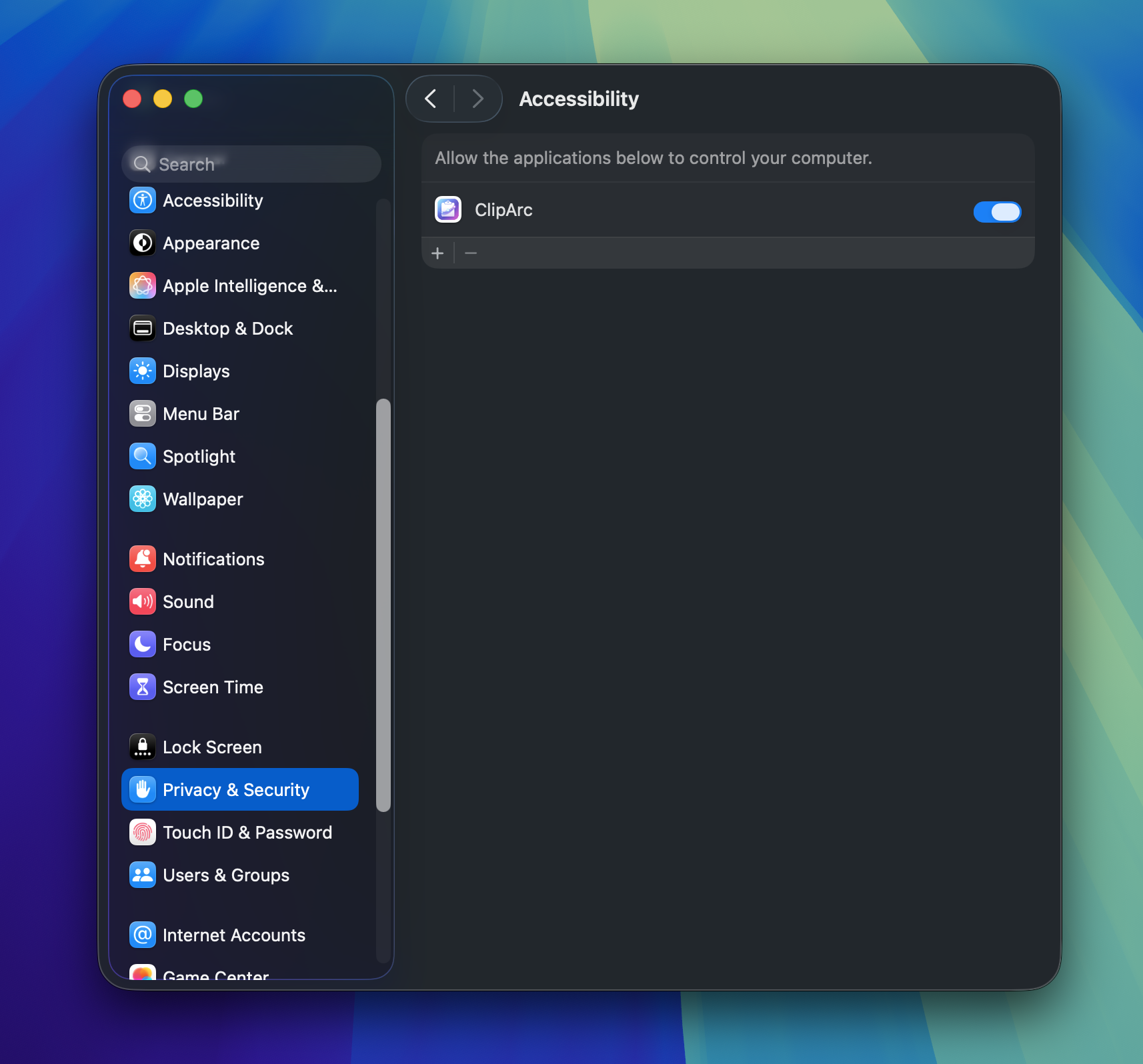
Troubleshooting
ClipArc - Smart Clipboard Manager for macOS
Can't Paste to Other Apps
To paste directly to other applications, ClipArc requires access to the accessibility features of your Mac. Sometimes (e.g., after an operating system update), the access may get taken away unintentionally, and you'll need to re-enable it manually.
Steps to Fix
- 1Go to System Settings → Privacy & Security → Accessibility
- 2Find ClipArc in the list and click the "−" button to remove it
- 3Restart your Mac
- 4Launch ClipArc, try to paste any item to any app, and follow the on-screen instructions to grant permission again
Still Need Help?
If the steps above don't resolve your issue, please contact our support team.
support@versegates.com© 2026 Versegates. All rights reserved.