LinguaBoard
Multilingual Subtitle Board for macOS
Type once, communicate with the world. Enter a single sentence and instantly display translations in multiple languages side by side, just like live subtitles.
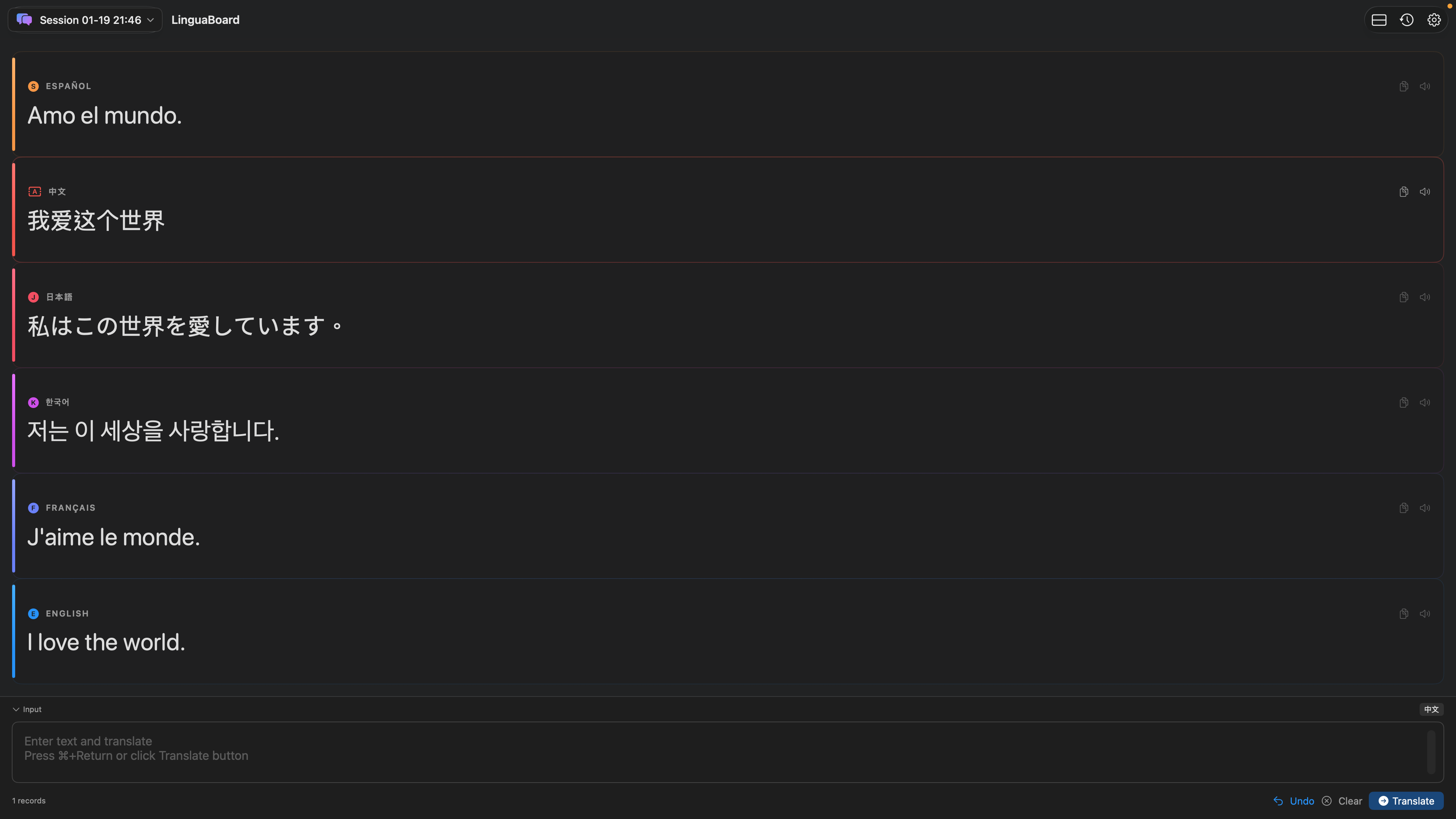
Type Once, Translate to Many
Unlike traditional translators that work one language at a time, LinguaBoard shows your text translated into 13+ languages simultaneously. All results appear as clean, color-coded subtitle cards, making it easy for each viewer to read in their own language at a glance.
Perfect for Silent Streaming
Ideal for streamers who prefer not to speak on camera. Type your message and it appears as multilingual subtitles. Share your screen in OBS or video calls.
13+ Languages
English, Chinese, Japanese, Korean, Spanish, French, German, Italian, Portuguese, Russian, Arabic, Thai, Vietnamese, and more.
Premium Text-to-Speech
Listen to any translation with high-quality voices. Adjust speaking speed and enable natural rhythm mode for realistic pronunciation.
Sessions & History
Organize your work with sessions for different topics or streams. All translations are saved and searchable for quick reuse.
Privacy First. Fully Offline.
All translations run locally using Apple's on-device Translation framework. No internet required, no accounts, no data ever leaves your Mac.
Built for macOS
Native SwiftUI interface with Light, Dark, and System themes. Floating window mode, keyboard shortcuts, and adjustable font sizes.
Perfect For
Silent Live Streaming
Screen sharing with multilingual subtitles
Multilingual Meetings
Video calls with international teams
Language Learning
Compare translations and practice pronunciation
Content Creators
Reach global audiences effortlessly
International Travel
Communicate across language barriers
Business Communication
Connect with international clients
Features
- Type once, translate into many languages
- 13+ supported languages
- Subtitle-style card interface
- Premium text-to-speech with multiple voices
- Session management and searchable history
- Offline, on-device translation
- Theme and font customization
- Floating window mode
- One-click copy of translations
- Full-screen subtitle view with pagination
System Requirements
Requires macOS 15.0 or later